Olá!
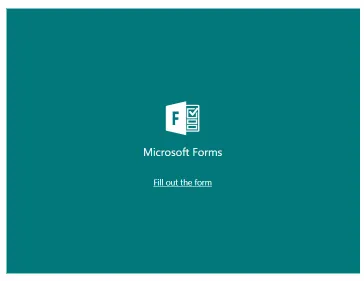
Estou com um serviço que o cliente deseja colocar formulário iFrame da microsoft num modal, porém as vezes o formulário fica como na imagem abaixo, forçando o usuário a atualizar a página
Alguém sabe como atualizar o iFrame assim que ele abre?
Acabei de testar aqui, não funcionou. D:
Sei que iFrame é algo bem atrasado, acredito que esse bug ocorra pelo iFrame estar num Modal com display: none; daí quando abro ele não está “carregado”.
Não faço ideia de como burlar isso.
Espera a página carregar e tenta abrir, caso abra, vai numa guia anônima e tenta abrir. Certas vezes abre normal, outras não.
rodriguesabner
Engraçado, não consegui pegar o caso de não abrir… Usei a guia anônima no chrome e com outros navegadores tbm… (Firefox e Bravo).
Usei esse código:
<!DOCTYPE html><htmllang="en"><head><metacharset="UTF-8"><title>Title</title><style>.topheader{background-color:#fff;width:100%;height:36px;display:flex;align-items:center;justify-content:space-around;position:fixed;top:52px;z-index:1;}.modal_top-header{display:none;/* Hidden by default */position:fixed;/* Stay in place */z-index:1;/* Sit on top */padding-top:100px;/* Location of the box */left:0;top:0;width:100%;/* Full width */height:100%;/* Full height */overflow:auto;/* Enable scroll if needed */background-color:rgb(0,0,0);/* Fallback color */background-color:rgba(0,0,0,0.4);/* Black w/ opacity */}/* Modal Content */.modal-content_top-header{background-color:#fefefe;margin:auto;padding:20px;border:1pxsolid#888;width:710px;border-radius:20px;}/* The Close Button */.close_top-header{color:#aaaaaa;float:right;font-size:28px;font-weight:bold;}.close_top-header:hover,.close_top-header:focus{color:#000;text-decoration:none;cursor:pointer;}</style></head><body><divclass="topheader"><buttonid="myBtn">Request Info</button><!-- The Modal --><divid="myModal"class="modal_top-header"><!-- Modal content --><divclass="modal-content_top-header"><spanclass="close_top-header">×</span><divid="iframe"><iframeid="iframe5"width="640px"height="480px"src="https://forms.office.com/r/9E5uKHL0i1?embed=true"frameborder="0"marginwidth="0"marginheight="0"style="border: none; max-width:100%; max-height:100vh"allowfullscreenwebkitallowfullscreenmozallowfullscreenmsallowfullscreen></iframe></div></div></div></div><script>constmodal=document.getElementById("myModal");constbtn=document.getElementById("myBtn");constspan=document.getElementsByClassName("close_top-header")[0];btn.onclick=function(){modal.style.display="block";}span.onclick=function(){modal.style.display="none";}window.onclick=function(event){if(event.target==modal){modal.style.display="none";}}</script></body></html>
rodriguesabner
Mas de qualquer forma coloquei pra criar o iframe assim que clicar no botão. Vê se vai rolar pra vc o erro novamente:
Não consegui implementar. Mas vou seguir tentando, obrigado aliás.
Qualquer coisa dou um UP aqui.
Solucao aceita
rodriguesabner1 like
Segue o código modificado:
<!DOCTYPE html><htmllang="en"><head><metacharset="UTF-8"><title>Title</title><style>.topheader{background-color:#fff;width:100%;height:36px;display:flex;align-items:center;justify-content:space-around;position:fixed;top:52px;z-index:1;}.modal_top-header{display:none;/* Hidden by default */position:fixed;/* Stay in place */z-index:1;/* Sit on top */padding-top:100px;/* Location of the box */left:0;top:0;width:100%;/* Full width */height:100%;/* Full height */overflow:auto;/* Enable scroll if needed */background-color:rgb(0,0,0);/* Fallback color */background-color:rgba(0,0,0,0.4);/* Black w/ opacity */}/* Modal Content */.modal-content_top-header{background-color:#fefefe;margin:auto;padding:20px;border:1pxsolid#888;width:710px;border-radius:20px;}/* The Close Button */.close_top-header{color:#aaaaaa;float:right;font-size:28px;font-weight:bold;}.close_top-header:hover,.close_top-header:focus{color:#000;text-decoration:none;cursor:pointer;}</style></head><body><divclass="topheader"><buttonid="myBtn">Request Info</button><!-- The Modal --><divid="myModal"class="modal_top-header"><!-- Modal content --><divclass="modal-content_top-header"><spanclass="close_top-header">×</span><divid="iframe"></div></div></div></div><script>constmodal=document.getElementById("myModal");constbtn=document.getElementById("myBtn");constspan=document.getElementsByClassName("close_top-header")[0];btn.onclick=function(){modal.style.display="block";createIFrame();}span.onclick=function(){modal.style.display="none";}window.onclick=function(event){if(event.target===modal){modal.style.display="none";}}functioncreateIFrame(){constiframeDocument=document.getElementById('iframe');iframeDocument.innerHTML='';constiframe=document.createElement('iframe');iframe.setAttribute('src','https://forms.office.com/r/9E5uKHL0i1?embed=true');iframe.setAttribute('width','640px');iframe.setAttribute('height','480px');iframe.setAttribute('frameBorder','0');iframe.setAttribute('marginWidth','0');iframe.setAttribute('marginHeight','0');iframe.setAttribute('style','border: none; max-width:100%; max-height:100vh');iframe.setAttribute('allowFullScreen','true');iframe.setAttribute('webkitallowfullscreen','true');iframe.setAttribute('mozallowfullscreen','true');iframe.setAttribute('msallowfullscreen','true');iframeDocument.appendChild(iframe);}</script></body></html>